Web UI (Tauri + Solid)
An OS-independent web-view picker — the same daemon, a modern web stack.
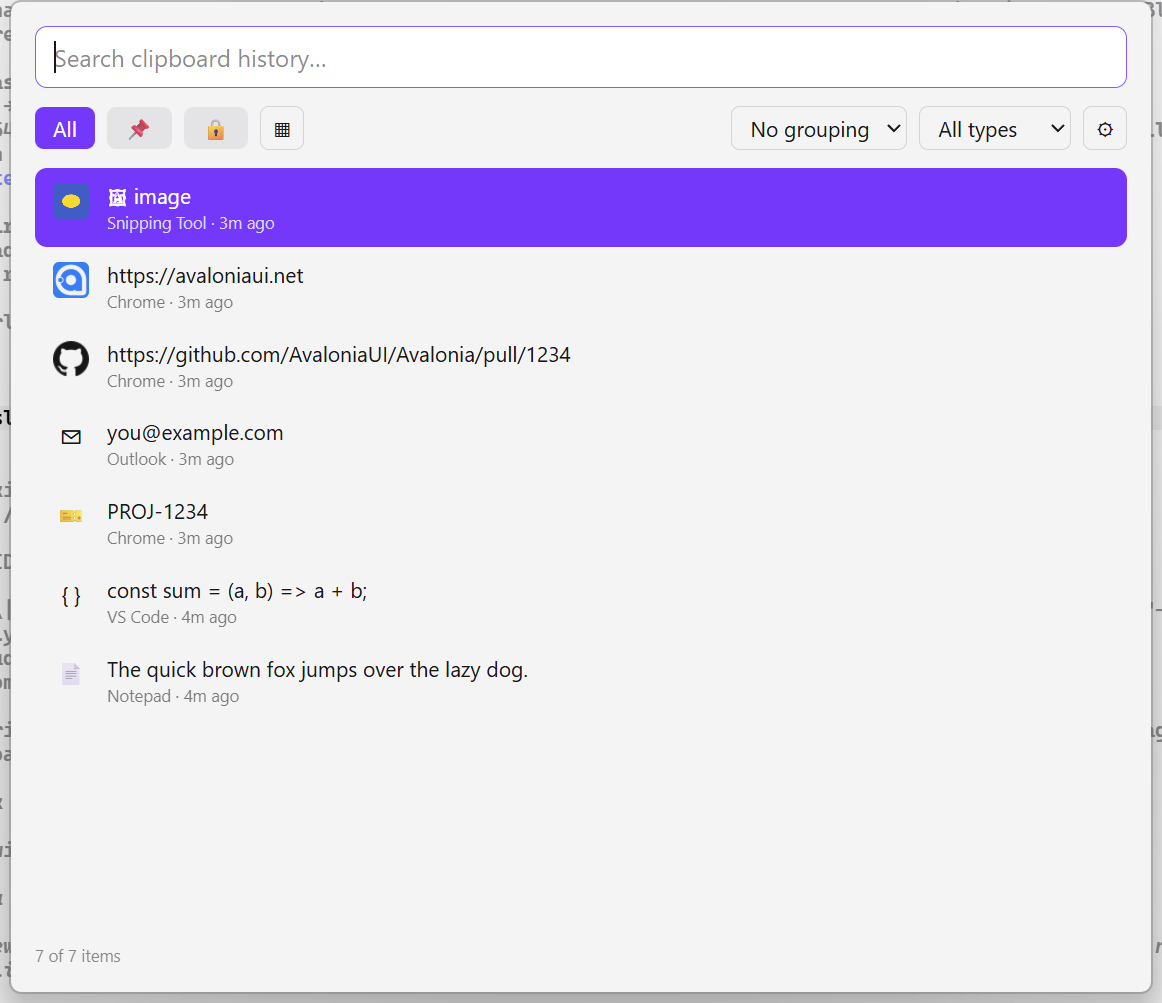
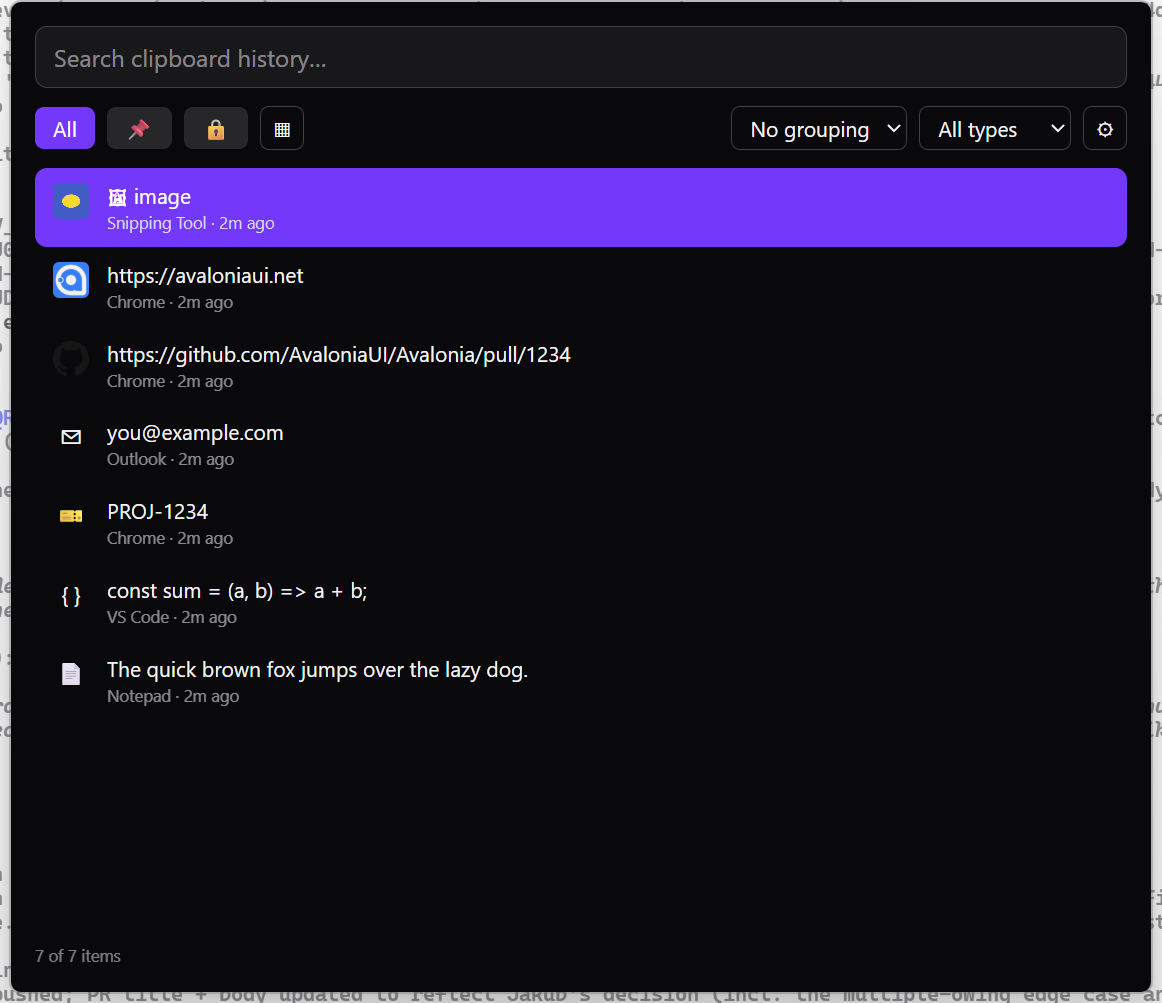
Alongside the native Avalonia picker, Clipwell ships a web UI: the same picker built on a web stack, wrapped as a desktop app with Tauri and also openable in any browser. It's another thin client of the daemon — same REST + WebSocket API — so it works on Windows, macOS, and Linux.
Two ways to run it
In any browser — the daemon serves the built UI:
dotnet run --project daemon     # then open:
# http://127.0.0.1:8787/app
As a desktop app (Tauri) — global hotkey, tray, paste‑into‑the‑source‑app:
cd webui
bun install
bun run tauri dev     # or: bun run tauri build
What it does
Feature parity with the native picker: search with live match highlighting; typed rows with kind icons (Lucide), favicons, image thumbnails, color swatches, and the source app; a metadata line with time, character count, image dimensions, and an edited tag; type filter + pinned/sensitive pills, all with live counts; grouping by date or source; Compact and Detail views; Quick Look (Ctrl+Y); a Ctrl+K action palette (including Edit content and Paste as plain text); pin (Ctrl+P) / sensitive (Ctrl+Shift+L, masked) / edit (Ctrl+E) / delete / rename (F2); an error banner with Retry when the daemon is unreachable; infinite scroll; settings (theme, default view/grouping, metadata, retention, hotkey) and diagnostics; live updates over WebSocket; light/dark with the OS default.
As a Tauri desktop app it adds the global hotkey (Alt+Shift+V), a tray icon, hide‑on‑blur, a transparent rounded‑card window, and pasting the chosen item back into the app you came from — Enter keeps rich formatting where it was captured, Alt+Shift+Enter pastes plain text.
Stack
Solid.js + Vite, Tailwind CSS v4, TypeScript 7 (the Go‑native tsgo, type‑check only),
Biome (lint/format) and knip (dead‑code), built and run with Bun; Tauri 2 for the
desktop shell. Plugin detectors run in the daemon, so the web UI gets their item
kinds automatically; the built‑in actions are reimplemented in TypeScript (the
.NET action plugins load only in the Avalonia UI).
Requirements
The browser version needs only the running daemon. Building the Tauri desktop app
additionally needs Bun, the Rust toolchain, and
the platform webview build tools (Windows: the Visual Studio C++ Build Tools + WebView2;
Linux: webkit2gtk).